- Define custom categories for what’s considered “in-scope”
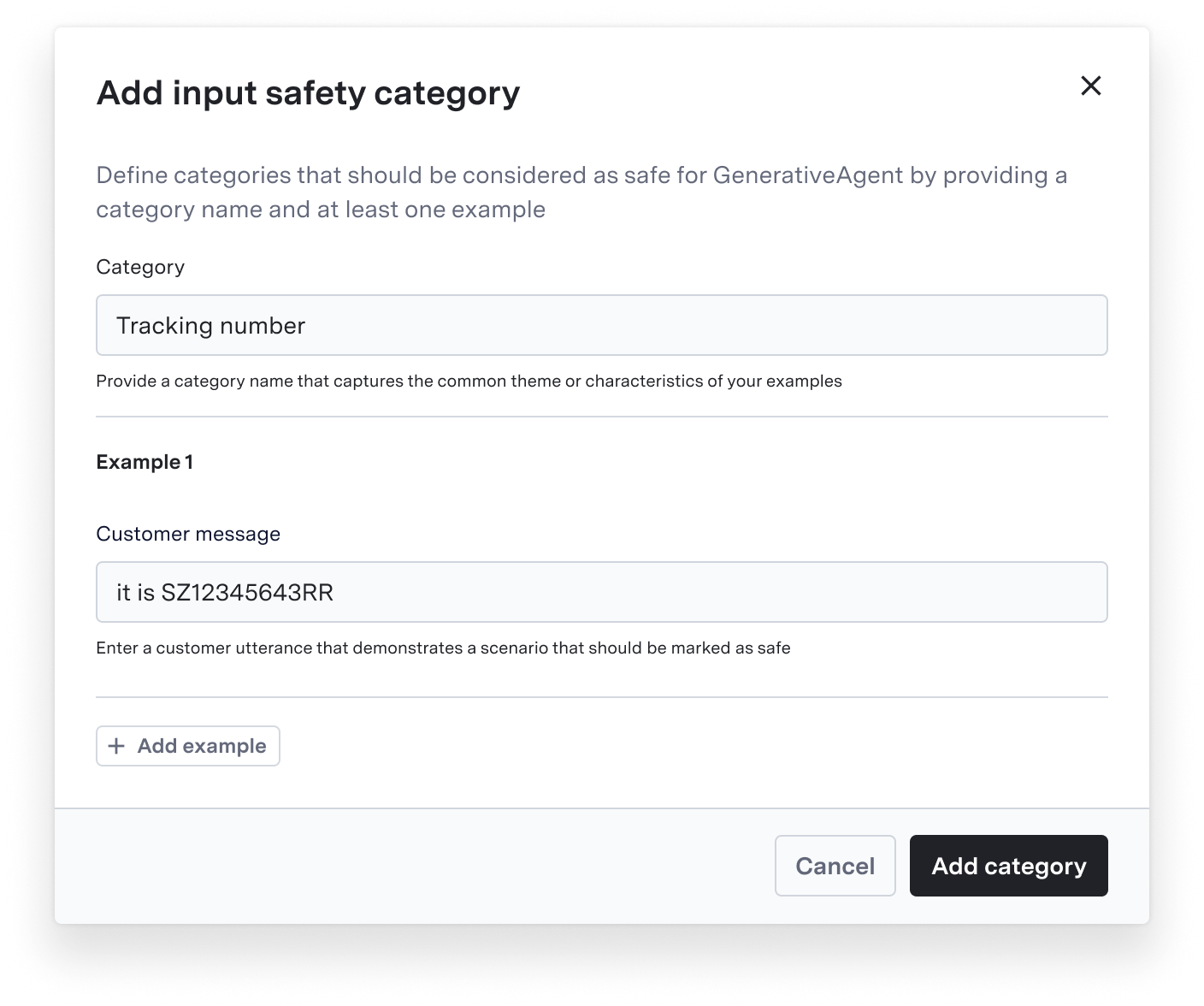
- Configure input safety categories for allowed customer messages
- Maintain default safety protections while adding organization-specific allowances
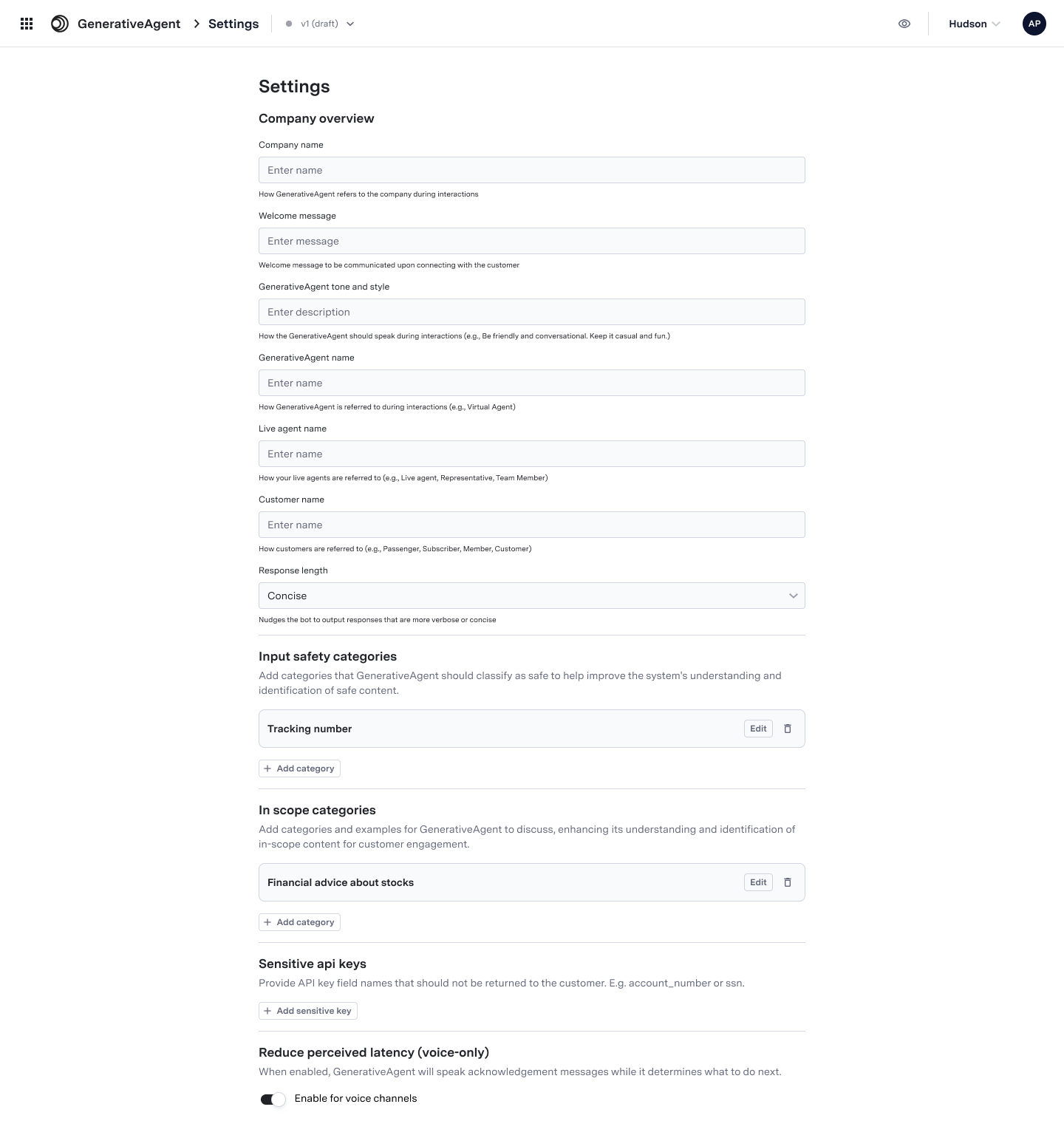
Customizing Scope and Safety Settings
Scope and safety controls are available in the main Settings page of GenerativeAgent. After making any changes to these settings, be sure to test them using the Previewer before deploying to production.- In-Scope Categories
- Input Safety Categories
To define valid topics for GenerativeAgent: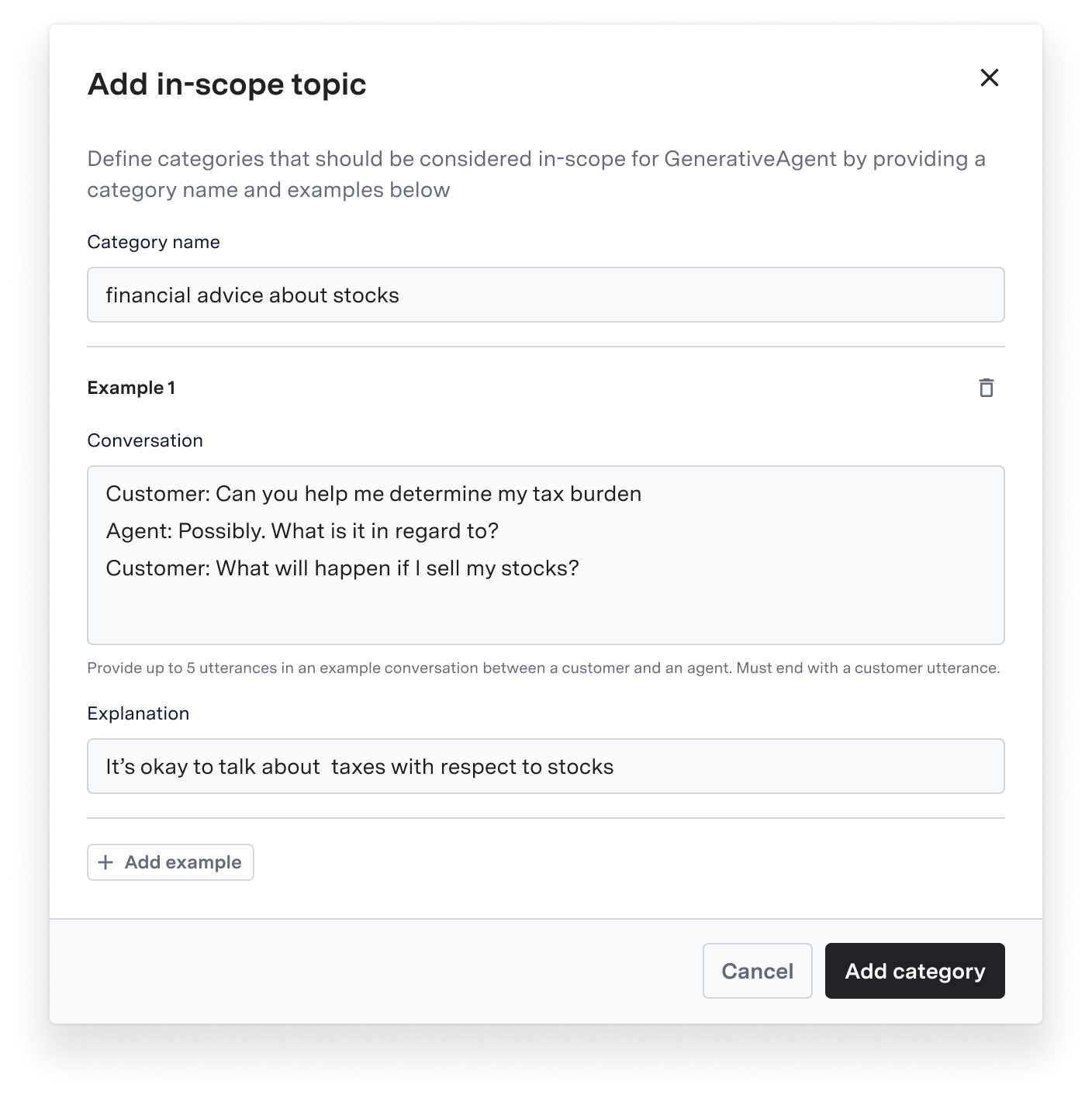
- Navigate to Settings > In-Scope Categories
- Click “Add Category”
- Enter a category name
- Provide specific examples of acceptable topics/requests
- Save your changes
If scope settings seem too restrictive, you can add new categories or expand existing ones. Always test changes in the Previewer before deployment.