> ## Documentation Index
> Fetch the complete documentation index at: https://asapp-04-04-getting-started-ga.mintlify.site/llms.txt
> Use this file to discover all available pages before exploring further.
# Previewer
> Learn how to use the Previewer in AI Console to test and refine your GenerativeAgent's behavior
The Previewer is a testing and simulation tool that allows you to try out different configurations of your GenerativeAgent's behavior.
The Previewer makes it easy to rapidly iterate on GenerativeAgent's design and provides a quick tool to test GenerativeAgent's capabilities.
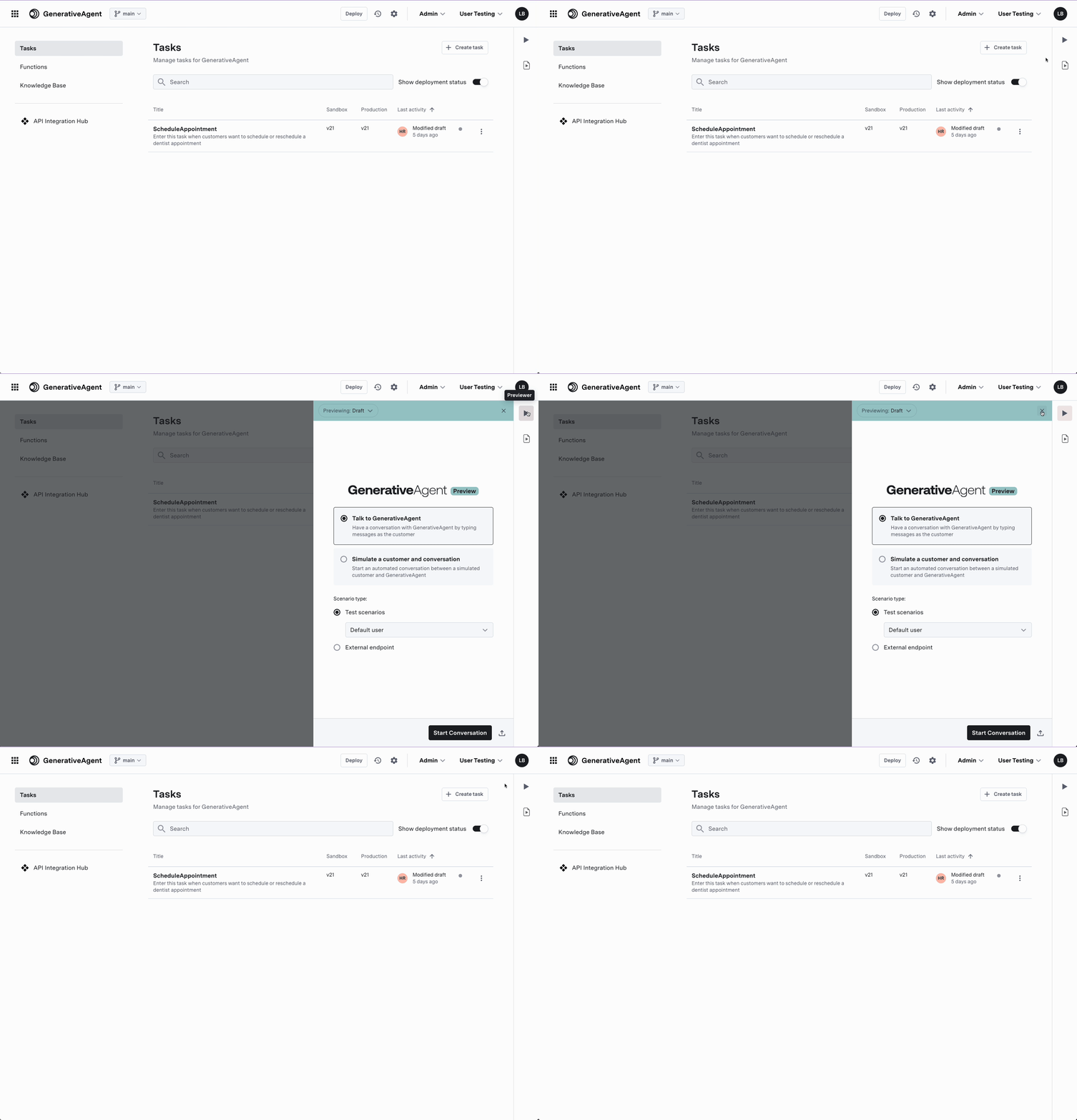 ## Using Previewer
To use the Previewer, select one of two modes:
1. **"Talk to GenerativeAgent"** to manually interact with GenerativeAgent by typing out messages as the customer.
2. **"Simulate a customer and conversation"** to automatically generate a conversation from a Test Scenario. This is useful when you want to test GenerativeAgent's behavior with a specific set of data.
Starting the conversation will run the Test scenario.
To use 'Simulate a customer and conversation' the goals need to be populated in your selected [Test Scenario](/generativeagent/configuring/tasks-and-functions/test-scenarios).
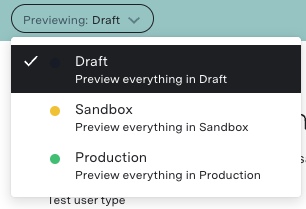
You can also select the [previewing environment](#previewer-environment) that GenerativeAgent uses to test and preview a conversation with GenerativeAgent. This defaults to Draft.
### Previewer Environment
Choose the [Environment](/generativeagent/configuring/deploying-to-generativeagent#environments) that GenerativeAgent uses to test and preview a conversation with GenerativeAgent.
Choose between:
* Draft
* Sandbox
* Production
## Using Previewer
To use the Previewer, select one of two modes:
1. **"Talk to GenerativeAgent"** to manually interact with GenerativeAgent by typing out messages as the customer.
2. **"Simulate a customer and conversation"** to automatically generate a conversation from a Test Scenario. This is useful when you want to test GenerativeAgent's behavior with a specific set of data.
Starting the conversation will run the Test scenario.
To use 'Simulate a customer and conversation' the goals need to be populated in your selected [Test Scenario](/generativeagent/configuring/tasks-and-functions/test-scenarios).
You can also select the [previewing environment](#previewer-environment) that GenerativeAgent uses to test and preview a conversation with GenerativeAgent. This defaults to Draft.
### Previewer Environment
Choose the [Environment](/generativeagent/configuring/deploying-to-generativeagent#environments) that GenerativeAgent uses to test and preview a conversation with GenerativeAgent.
Choose between:
* Draft
* Sandbox
* Production
 ## Talk to GenerativeAgent
"Talk to GenerativeAgent" enables you to manually interact with GenerativeAgent. This is useful for initial testing of your task and function configurations.
### Test Scenario Type
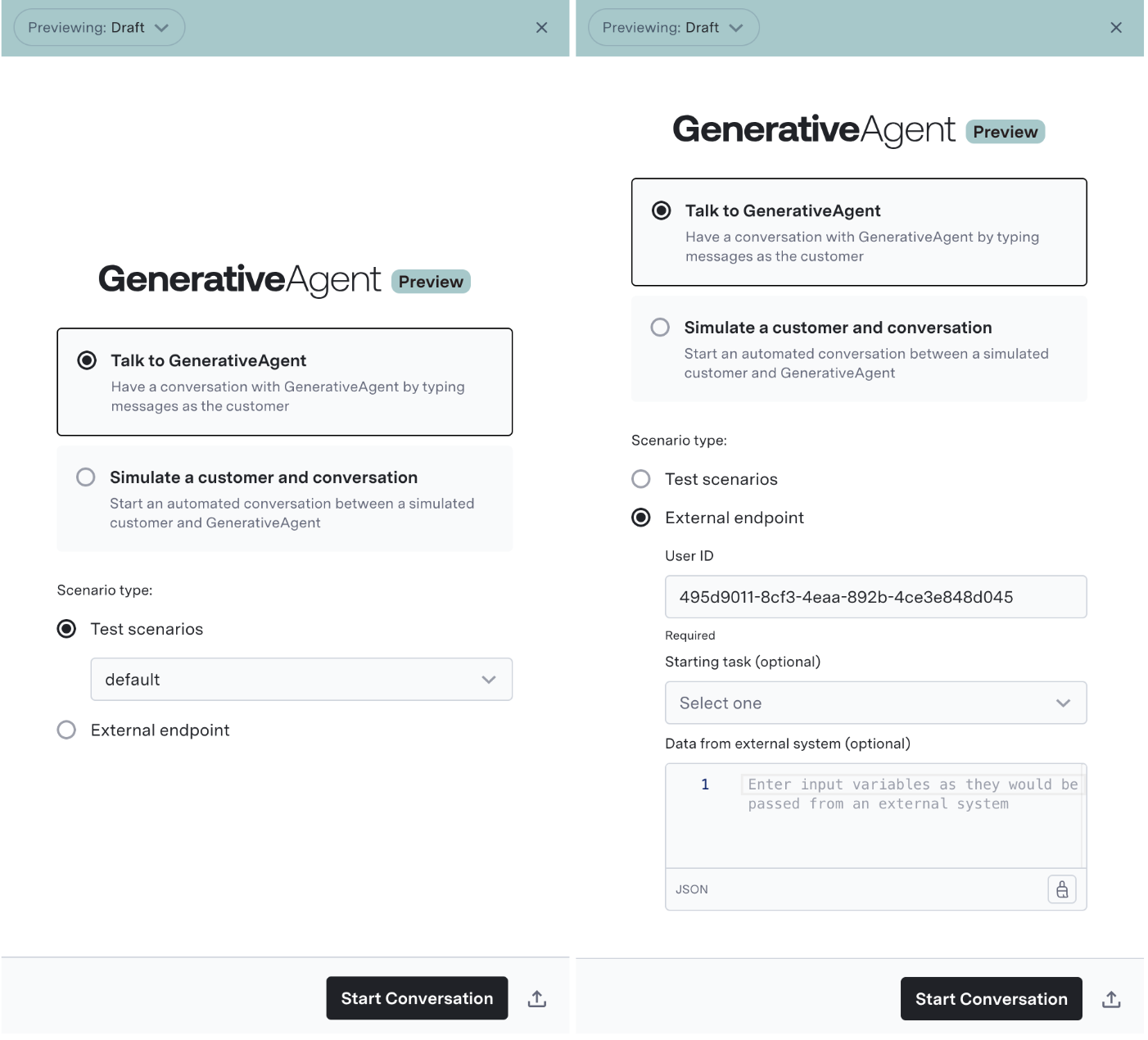
When directly talking to GenerativeAgent, you can choose what kinda of data GenerativeAgent will use for its function calls by selecting the "Scenario type":
* **Test Scenario**: This uses the data from a previously created [Test Scenario](/generativeagent/configuring/tasks-and-functions/test-scenarios) where you have already defined a simulated mock data that a function would return. This allows you to try out different Tasks and iterate on tasks definitions or on Functions without concern of hitting actual APIs.
* **External Endpoint**: This will use the actual API Connections, allowing you to test GenerativeAgent using real APIs and data.
Most preview testing uses test scenarios as it is faster to design iterations. The External Endpoint is helpful for final QA testing and pre-launch validation.
## Talk to GenerativeAgent
"Talk to GenerativeAgent" enables you to manually interact with GenerativeAgent. This is useful for initial testing of your task and function configurations.
### Test Scenario Type
When directly talking to GenerativeAgent, you can choose what kinda of data GenerativeAgent will use for its function calls by selecting the "Scenario type":
* **Test Scenario**: This uses the data from a previously created [Test Scenario](/generativeagent/configuring/tasks-and-functions/test-scenarios) where you have already defined a simulated mock data that a function would return. This allows you to try out different Tasks and iterate on tasks definitions or on Functions without concern of hitting actual APIs.
* **External Endpoint**: This will use the actual API Connections, allowing you to test GenerativeAgent using real APIs and data.
Most preview testing uses test scenarios as it is faster to design iterations. The External Endpoint is helpful for final QA testing and pre-launch validation.
 ### External Endpoint
When using the External Endpoint, you can provide:
* User ID: This is an id of the user for the conversation. This is needed as ASAPP's APIs require it and many APIs rely on it.
* Task Name: The [specific task for GenerativeAgent to enter](/generativeagent/configuring/tasks-and-functions/enter-specific-task).
* Input Variables: This is the [input variables data](/generativeagent/configuring/tasks-and-functions/input-variables) that GenerativeAgent will use to perform the Task.
Input variables can be submitted as key-value pairs in JSON format.
### External Endpoint
When using the External Endpoint, you can provide:
* User ID: This is an id of the user for the conversation. This is needed as ASAPP's APIs require it and many APIs rely on it.
* Task Name: The [specific task for GenerativeAgent to enter](/generativeagent/configuring/tasks-and-functions/enter-specific-task).
* Input Variables: This is the [input variables data](/generativeagent/configuring/tasks-and-functions/input-variables) that GenerativeAgent will use to perform the Task.
Input variables can be submitted as key-value pairs in JSON format.
 ## Observing GenerativeAgent's Behavior
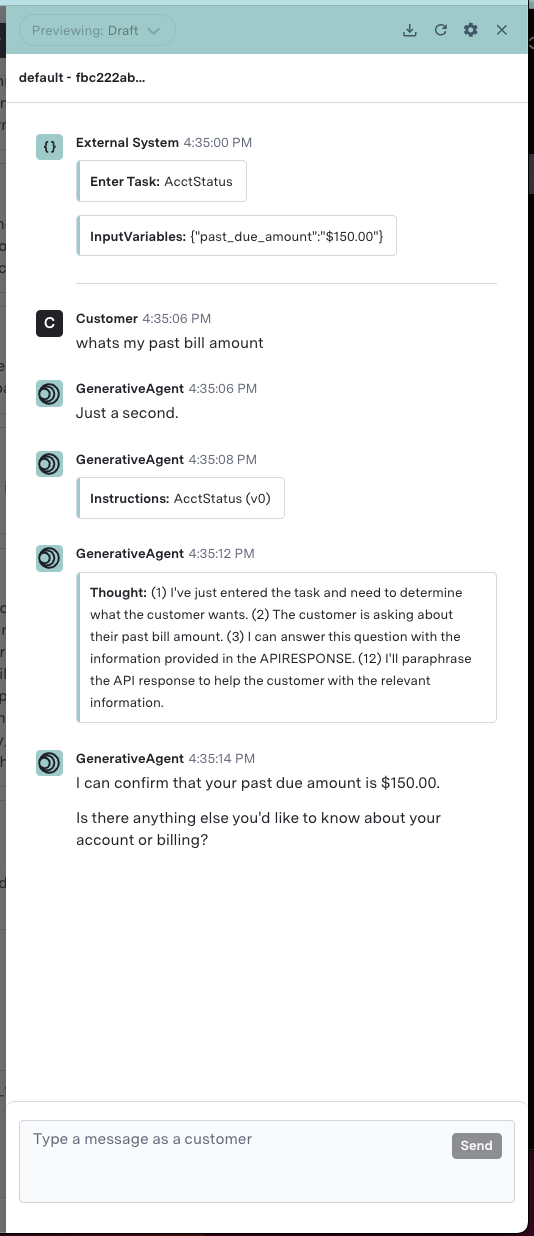
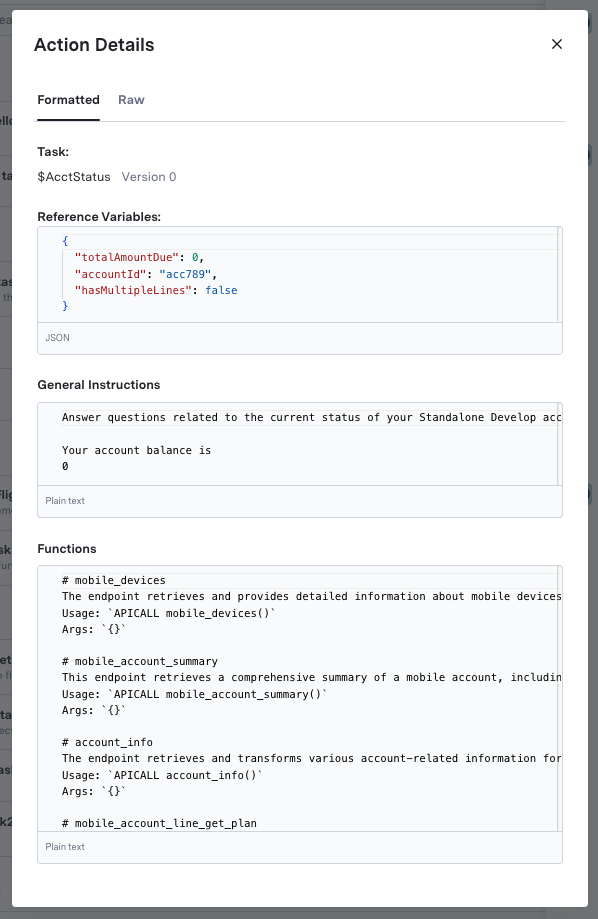
Previewer gives you insight into the actions that GenerativeAgent is taking with the **Turn inspector**. This includes its thoughts during the conversation, the Knowledge Base articles it references, and the API calls it makes.
Use the Turn Inspector to examine how instructions are processed within GenerativeAgent.
Turn Inspector includes detailed visibility into:
* Active Task Configuration
* Current reference variables
* Precise instruction parsing
* Function call context and parameters
* Execution state at each conversational turn
## Observing GenerativeAgent's Behavior
Previewer gives you insight into the actions that GenerativeAgent is taking with the **Turn inspector**. This includes its thoughts during the conversation, the Knowledge Base articles it references, and the API calls it makes.
Use the Turn Inspector to examine how instructions are processed within GenerativeAgent.
Turn Inspector includes detailed visibility into:
* Active Task Configuration
* Current reference variables
* Precise instruction parsing
* Function call context and parameters
* Execution state at each conversational turn
 ### Using Live Preview
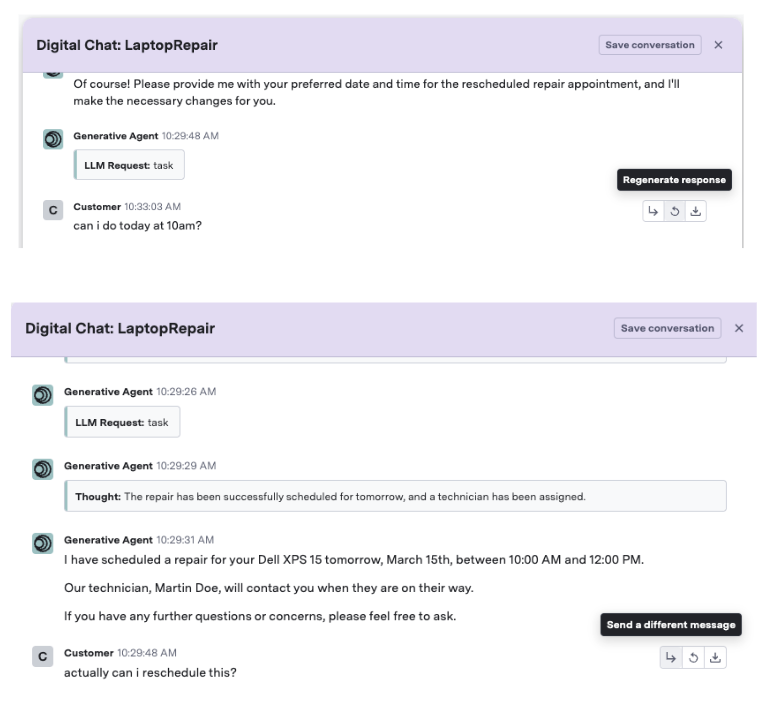
The Live Preview feature allows you to test changes in real-time during a conversation. You have the ability to:
* **Regenerate a response**: For a given bot response, regenerate it using the latest state of the draft settings.
* **Send a different message**: For a given customer message, change what is sent to see how GenerativeAgent would respond with that conversation context.
### Using Live Preview
The Live Preview feature allows you to test changes in real-time during a conversation. You have the ability to:
* **Regenerate a response**: For a given bot response, regenerate it using the latest state of the draft settings.
* **Send a different message**: For a given customer message, change what is sent to see how GenerativeAgent would respond with that conversation context.
 ### Replaying Conversations
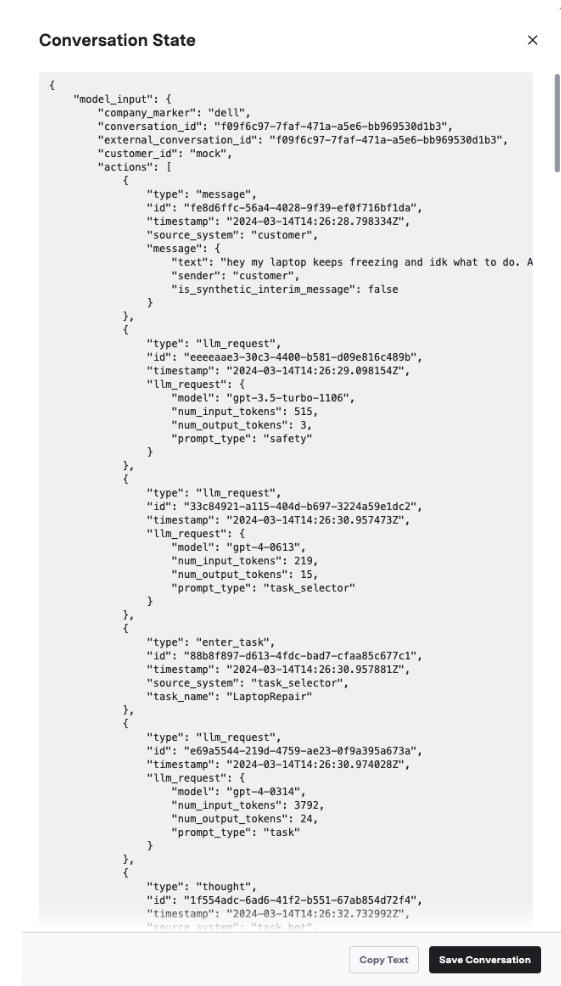
During testing and configuration, you may want to replay conversations while trying out changes or validating GenerativeAgent across new versions. In Previewer, you can save the conversation to replay it again in the future.
### Replaying Conversations
During testing and configuration, you may want to replay conversations while trying out changes or validating GenerativeAgent across new versions. In Previewer, you can save the conversation to replay it again in the future.
 ## Next Steps
You may find one of the following sections helpful in advancing your integration:
## Next Steps
You may find one of the following sections helpful in advancing your integration: